Fristen Radar Pro
Help and contact
New in version 1.3
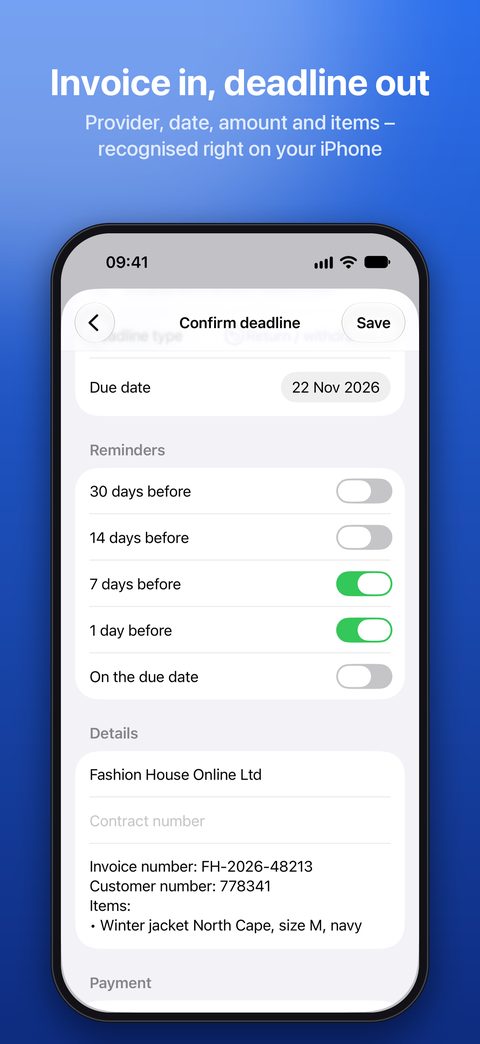
- Import invoices: provider, date, amount, invoice and customer number and items are recognised – right on your iPhone.
- From the Mail app: share several attachments at once, or the whole email as PDF via “Print”.
- Pending imports: shared items wait under “Add” until you import or discard them.
- Invoices from a folder, e.g. iCloud Drive › Invoices.
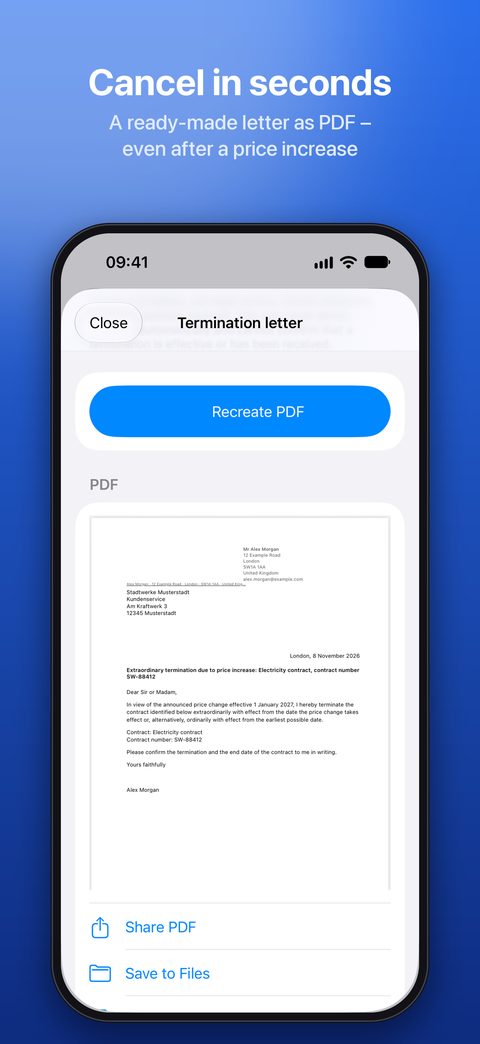
- Price history per contract and cancellation due to price increase.
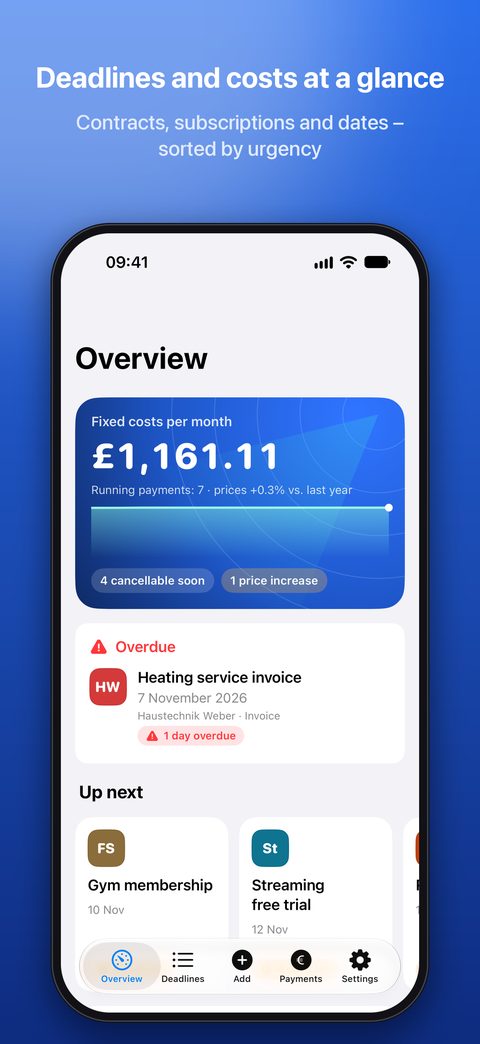
- New overview with fixed costs, provider badges, an assistant for new contracts and a widget in the new look.
Contact
Questions, bugs or ideas? Write to me – I usually reply within two working days.
Please include the app version (Settings → Version), your iPhone model and iOS version. Please do not send real contract documents.
Frequently asked questions
Where is my data stored?
Only on your iPhone. The app has no server and sends nothing to me or anyone else. Text recognition and the analysis of your documents run on the device. See the privacy policy for details.
How do I move my data to a new iPhone?
The easiest way is your regular iPhone backup (iCloud or computer) when setting up the new device. Alternatively: Settings → Backup and export → Create backup with attachments, move the file to the new iPhone (e.g. via AirDrop or Files) and read it in with Import backup.
Is there iCloud sync?
Not at the moment. Your data stays on the device; use the backup (see above) to move it.
How do I get invoices from the Mail app into the app?
iOS does not let any app access your mailbox. It is still quick:
- Invoice as attachment: touch and hold the attachment → Share → Fristen Radar Pro. Several attachments at once work too.
- Invoice in the message text: tap the reply arrow → Print → the Share icon at the top → Fristen Radar Pro. The whole email arrives as a PDF.
- Just one section: select text → Share → Fristen Radar Pro.
The steps are also in the app under Add → From the Mail app.
I chose “Later” – where is the shared item?
Under Add → Pending imports. Import or discard each item, or all at once. Items you don’t import are deleted automatically after 7 days.
What does the app read from an invoice?
Date and deadline, provider, amount, invoice, order and customer number and the items you bought. Numbers and items go into the notes. Everything is a suggestion: you check and change it before saving.
How do I use a folder for invoices?
Add → Invoices from a folder → Choose folder, e.g. iCloud Drive › Invoices. Whenever you open this page, the app lists new PDFs and images; you import or ignore them.
How do I enter a price increase?
Open the contract → Edit → Payment → Add price change, enter the date and new amount. If the date is in the future, the contract shows a notice with Prepare cancellation due to price increase.
I don’t get any reminders.
Check in the app under Settings → Notifications that reminders are enabled, and in iOS Settings under Notifications → Fristen Radar Pro that notifications are allowed. The deadline also needs at least one reminder (e.g. 7 days before).
Where is the cancellation letter?
Open a contract (e.g. category Contract, Insurance, Subscription, Energy) and choose Decision → Terminate. Then Create termination letter appears. You enter your sender details once (Settings → Contract holder and sender). If a price increase has been announced, there is also a “cancellation due to price increase” letter.
“Create PDF” is greyed out.
Something is still missing. It is listed in red right below the button – usually the recipient (provider) or your sender details.
How do I mark a bank transfer as paid?
In the Payments tab, swipe the payment to the right or press and hold it, then choose Mark as paid. Direct debits count as paid automatically on the due date.
How do I add the widget?
Press and hold the Home Screen → Edit → Add Widget → choose Fristen Radar Pro.
Is this legal advice?
No. The app reminds you and provides templates. Whether a deadline has been met or a cancellation is effective is for you to check yourself or with professional help.
Requirements
- iPhone with iOS 18 or later
- Languages: English and German
- Buy once: no subscription, no in-app purchases